
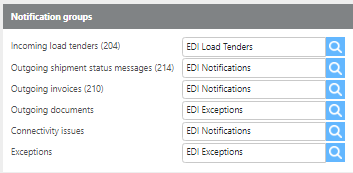
Use this section to configure which user groups receive notifications for EDI events.
Notification groups
|
Field |
Description |
|
Incoming load tenders (204) |
The user group that will be notified when new load tenders are received. |
|
Outgoing shipment status messages (214) |
The user group that will be notified when there are issues sending shipment status messages. |
|
Outgoing invoices (210) |
The user group that will be notified when there are issues sending invoices. |
|
Connectivity issues |
The user group that will be notified when there are connectivity issues. |
|
Exceptions |
The user group that will be notified when exceptions occur. |
Company identification
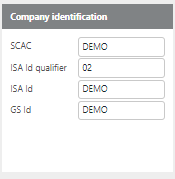
These fields define how your company is identified on all outgoing EDI messages.
|
Field |
Description |
|
SCAC |
Your company's Standard Carrier Alpha Code (SCAC), used to identify your company on outgoing messages. |
|
ISA Id qualifier |
The ISA ID qualifier used to identify your company on outgoing messages. |
|
ISA Id |
The ISA ID used to identify your company on outgoing messages. |
|
GS Id |
The GS ID used to identify your company on outgoing messages. |
AS2 Connection
|
Field |
Description |
|
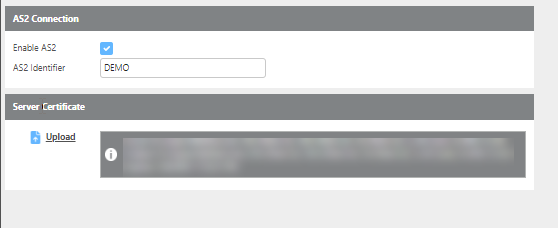
Enable AS2 |
Check this box to enable AS2 for your EDI account. |
|
AS2 Identifier |
Your AS2 identifier, used to identify your company in AS2 communications. |
|
Server certificate |
Upload the certificate that EDI partners will use to encrypt and decrypt EDI messages. |