
This report will show a list of accidents for the date range selected. This will show the accident status, truck, trailer, customers, and a description of the accidents.
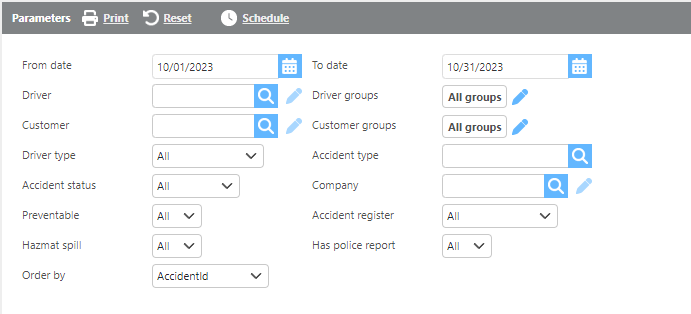
Report Parameters
|
Field |
Description |
|
From/To date |
Enter a date range to display accidents occurring within those dates. |
|
Driver |
Select a specific driver to filter results; leave blank to show all. |
|
Customer |
Select a specific customer to filter results; leave blank to show all. |
|
Groups |
Select a specific group to filter results; leave blank to show all. |
|
Driver type |
Select a specific driver type to filter the report. |
|
Accident type |
Select an accident type to filter the report. |
|
Accident status |
Select an accident status to filter the report. |
|
Company |
Select a specific company to filter results. |
|
Preventable |
Choose to display preventable, non-preventable, or all accidents. |
|
Accident register |
Select an accident register type to filter the data. |
|
Hazmat spill |
Select whether to display "Yes," "No," or all types of spills. |
|
Has police report |
Select whether to display accidents with a police report, without, or both. |
|
Order by |
Select how you would like the results ordered from the drop-down. |

Accident Columns
|
Field |
Description |
|
Accident |
The unique identification number for the accident. |
|
Status |
The current status of the accident record. |
|
Preventable |
Indicates if the accident was determined to be preventable. |
|
Date |
The date the accident occurred. |
|
Truck |
The truck associated with the accident. |
|
Trailer |
The trailer associated with the accident. |
|
Accident type |
The specific category of the accident. |
|
Customer |
The customer the load was being run for at the time of the accident. |
|
Driver |
The driver involved in the accident. |
|
Accident amount |
The total value derived from payments received on claims linked to the accident. |
|
Insurance paid amount |
The total value derived from insurance claim amounts linked to the accident. |