What you should know about Customer Data Integration?
What You Should Know About Customer Data Integration
-
Ditat TMS does not pull data from QuickBooks. If you edit customer data in QuickBooks, those changes will not be reflected in the Ditat TMS and will likely be overwritten the next time the customer is updated in Ditat.
-
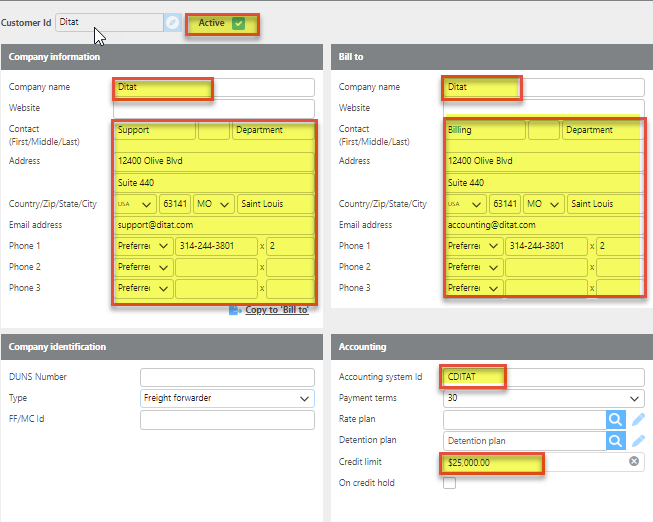
Ditat TMS only exports certain fields to QuickBooks (see below). All other fields in QuickBooks can be modified independently and will not be affected by the export.
-
Ditat TMS will create a customer in QuickBooks only when an invoice or credit memo needs to be exported. Once a customer has been exported, any subsequent updates made to that customer in the Ditat TMS will be synced to QuickBooks automatically.
-
Ditat TMS uses the Accounting System ID from the Customer Screen as the primary List ID in QuickBooks.
Fields exported and updated in QuickBooks