
This report displays a list of trailers that are currently dropped at a location.
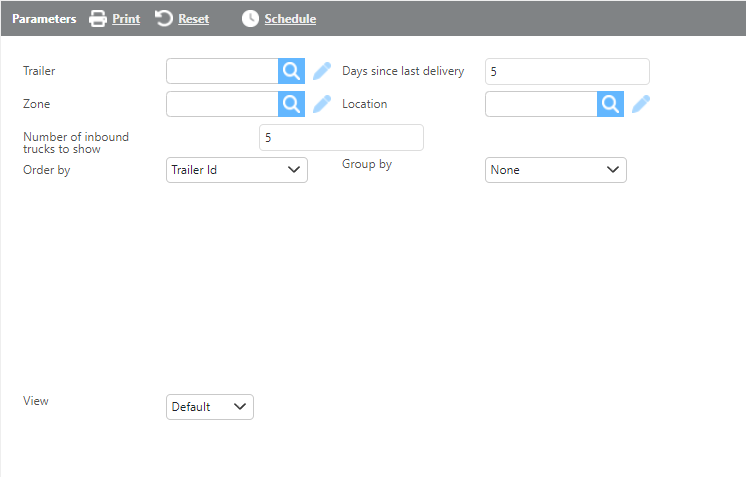
Report Parameters
|
Field |
Description |
|
Trailer |
Select a specific trailer to filter results. |
|
Days since last delivery |
Enter a number of days to filter results to trailers that have been dropped for at least that many days since their last delivery. |
|
Zone |
Select a zone to filter results to trailers dropped within that zone. |
|
Location |
Select a location to filter results to trailers dropped at that location. |
|
Number of inbound trucks to show |
Enter the maximum number of inbound trucks to display for each location. |
|
Order by |
Select how the report should be grouped. |
|
Group by |
Select how the report should be ordered. |
|
View |
Select Default, Summary, or Details view. See view descriptions below. |
Default View
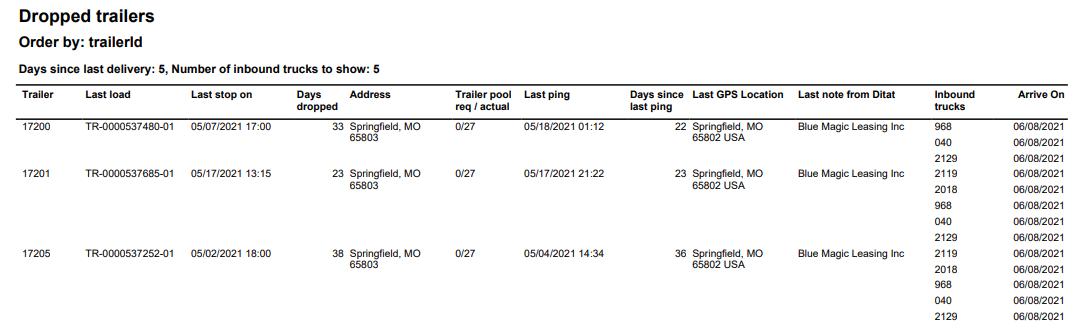
Report Default View
|
Field |
Description |
|
Trailer |
The trailer ID. |
|
Last load |
The last load the trailer was assigned to. |
|
Last stop on |
The check call time for the trailer's last stop. |
|
Days dropped |
The number of days the trailer has been dropped at this location. |
|
Address |
The address of the location where the trailer is dropped. |
|
Trailer pool req/ actual |
ActualThe trailer pool requirement for the location versus the number of trailers currently there. |
|
Last ping |
The time of the most recent GPS ping for the trailer. |
|
Last GPS Location |
The location where the most recent GPS ping was received. |
|
Last note from Ditat |
The most recent note added to the trailer. |
|
Inbound trucks |
A list of trucks currently inbound to this location. The count can be limited using the filter before running the report. |
|
Arrive On |
The expected arrival time for the inbound truck. |
Summary View
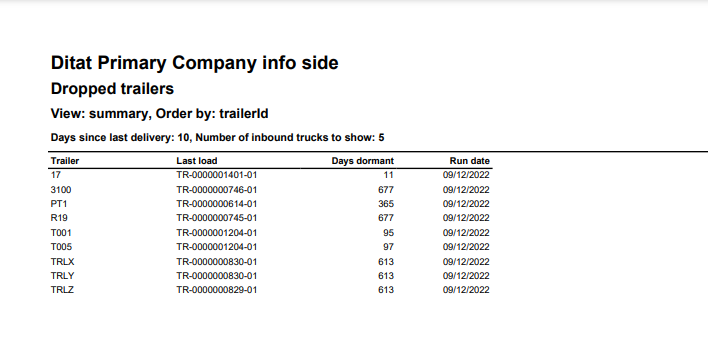
Report Summary View
|
Field |
Description |
|
Trailer |
The trailer ID. |
|
Last load |
The last load the trailer was assigned to. |
|
Days dormant |
The number of days the trailer has been dormant. |
|
Run date |
The date the report was run. |
Details View
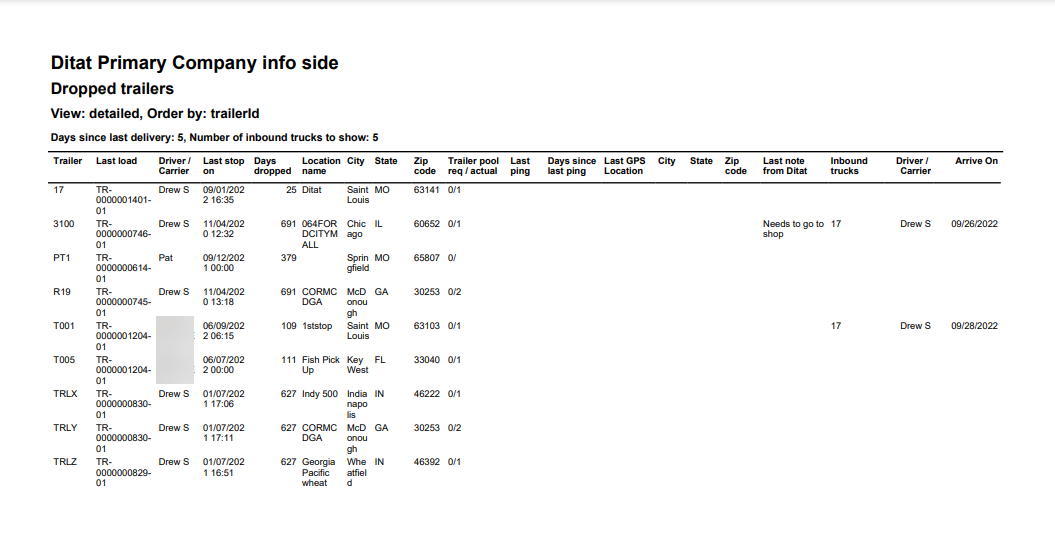
Report Details View
|
Field |
Description |
|
Trailer |
The trailer ID. |
|
Last load |
The last load the trailer was assigned to. |
|
Driver/Carrier |
The driver or carrier from the trip assignment the trailer was last assigned to. |
|
Last stop on |
The check call time for the trailer's last stop. |
|
Days dropped |
The number of days the trailer has been dropped. |
|
Location name |
The name of the location where the trailer appears to have been dropped. |
|
City |
The city where the trailer appears to have been dropped. |
|
State |
The state where the trailer appears to have been dropped |
|
Zip code |
The zip code where the trailer appears to have been dropped. |
|
Trailer pool req/actual |
The trailer pool requirement for the location versus the actual number of trailers on site. |
|
Last ping |
The time of the most recent GPS ping for the trailer. |
|
Days since last ping |
The number of days since the last GPS ping on the trailer. |
|
Last GPS location |
The location where the most recent GPS ping was received. |
|
City |
The city where the most recent GPS ping occurred. |
|
State |
The state where the most recent GPS ping occurred. |
|
Zip code |
The zip code where the most recent GPS ping occurred. |
|
Last note from Ditat |
The most recent note from the Notes section of the trailer profile. |
|
Inbound trucks |
The truck number for trucks currently assigned to a trip delivering to the location of the dropped trailer. |
|
Driver/carrier |
The driver or carrier assigned to the inbound trip. |
|
Arrive on |
The scheduled arrival time for the first inbound truck at the location of the dropped trailer. |