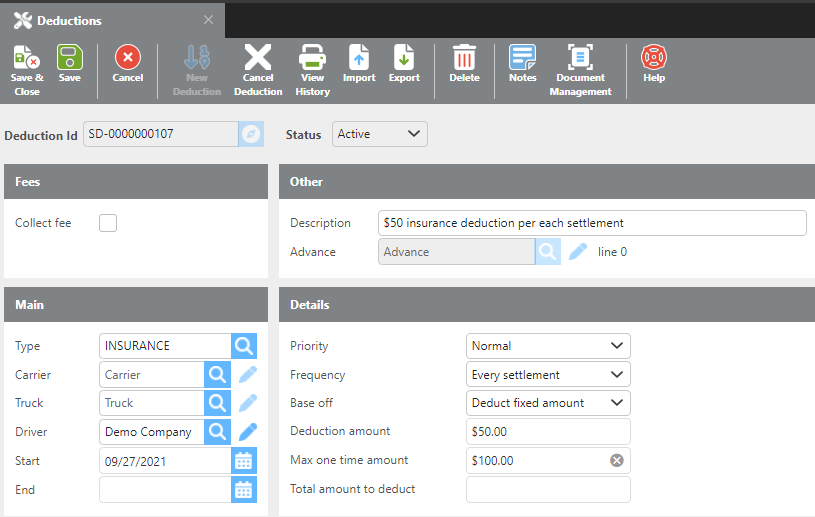
Navigation: Rate & Pay → Enter Deductions.
Click here for information on how to use a data entry window.
Deductions can be set up to occur weekly, monthly, or on the current settlement only. Common uses include trailer deposits, mobile device charges, and driver loans.
|
Field |
Description |
|
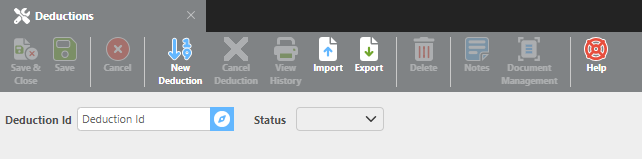
Deduction Id |
Can be up to 25 characters and must be unique within the system. If you enter an ID that already exists, that deduction record will be loaded for editing. Otherwise, a new deduction record will be created. |
|
Status |
Indicates whether the deduction is active or cancelled. |
|
Cancel Deduction |
Cancels the selected deduction. You will be prompted to enter a reason for cancellation. |
|
View History |
Opens a history report for this deduction showing the current balance owed and a log of each time it has been deducted. |
Fees
|
Field |
Description |
|
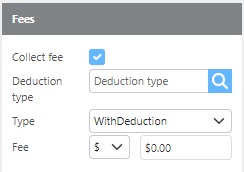
Collect Fee |
Check this box to collect a fee in addition to the deduction. |
|
Deduction Type |
Select the deduction type to use for the fee. |
|
Type |
Choose whether the fee is deducted Upfront or With Deduction. |
|
Fee |
Enter the fee amount as either a dollar amount or a percentage. |
Other
|
Field |
Description |
|
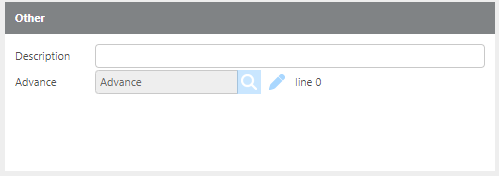
Description |
Enter a description for this deduction. It is recommended to include who the deduction is for, what it covers, and the amount. For example: "Insurance payment for John Doe — $200 weekly." |
|
Advance |
If this deduction was created from an advance, the associated advance will be displayed here. |
Main
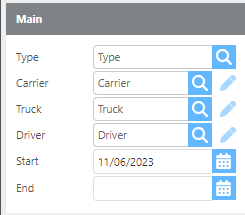
|
Field |
Description |
|
Type |
Select the deduction type from the deductions list. |
|
Carrier |
If this deduction is for a specific carrier, select it here. |
|
Truck |
If this deduction is for a specific truck, select it here. |
|
Driver |
If this deduction is for a specific driver, select it here. |
|
Start |
Enter the date the deduction should begin. |
|
End |
Enter the date the deduction should end. |
Details
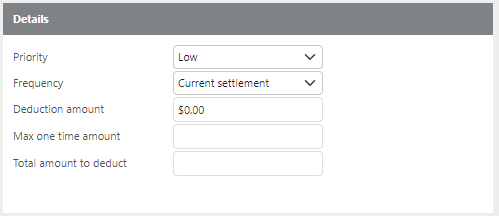
|
Field |
Description |
|
Priority |
Set the priority of this deduction. Lower priority deductions should be removed before higher priority ones. |
|
Frequency |
Select whether this is a Current Settlement, Weekly, or Monthly deduction. |
|
Deduct in advance (will show when Monthly or Weekly is selected) |
If checked, the amount is due on the start date. If unchecked, the first deduction is due one period later. For example, a monthly deduction starting on 5/1 with this box checked will deduct on 5/1. If unchecked, the first deduction will occur on 6/1. |
|
Base off (will show when Every Settlement is selected) |
Select the basis for the deduction amount: Fixed Amount, Gross Pay, Total Miles, Loaded Miles, or Trip Count. |
|
Deduction amount |
Enter the amount to deduct per occurrence. |
|
Max one-time amount |
Enter the maximum amount that can be collected in a single deduction. |
|
Total amount to deduct |
Enter the total amount to collect over the life of this deduction. |
Example of Deduction