
This report displays each truck's completed trips, miles traveled, and fuel information for the selected date range.
Note: Fuel advances must be posted in order for gallons, purchased fuel, and MPG data to display on this report.
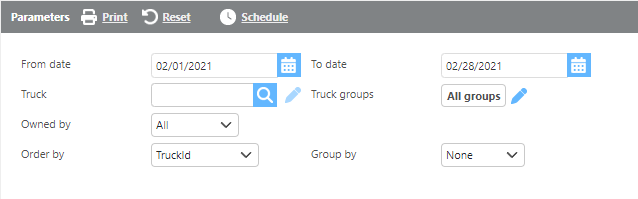
Report Parameters
|
Field |
Description |
|
From/To date |
Enter a date range to run the report. |
|
Truck |
Select a specific truck to filter results. |
|
Truck Groups |
Select a truck group to limit results to trucks within that group. |
|
Order by |
Select how the data should be ordered on the report. |
|
Group by |
Select if and how the data should be grouped on the report. |
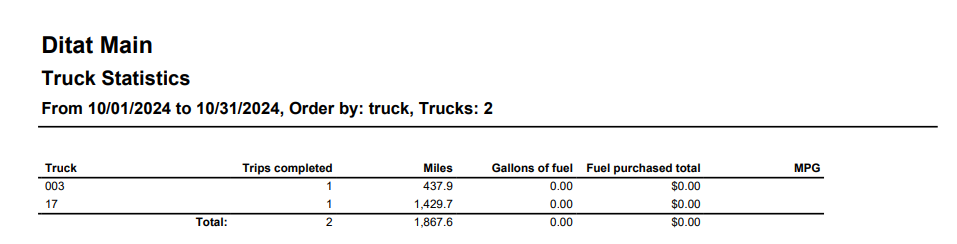
Report Columns
|
Field |
Description |
|
Truck |
The truck ID. |
|
Trips completed |
The number of trips completed during the date range. |
|
Miles |
The total miles traveled during the date range. |
|
Gallons of fuel |
The total gallons of fuel used during the date range. |
|
Fuel purchased total |
The total amount spent on fuel during the date range. |
|
MPG |
The average miles per gallon during the date range, calculated using the miles from trips included on the report divided by the gallons of fuel purchased on the report. |