
Note: All integrations must be enabled by Ditat before use. For details and pricing, contact sales@ditat.com.
Motive Main
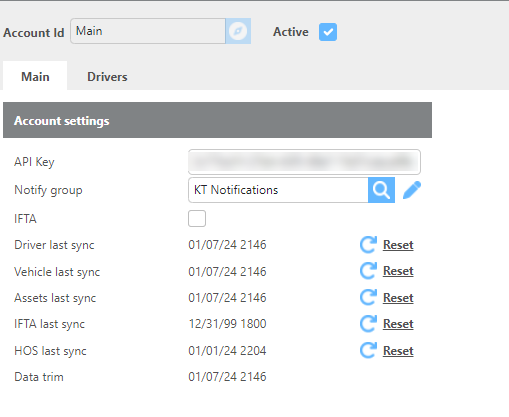
|
Field |
Description |
|
Account Id |
Enter a name to identify this account. |
|
API Key |
Enter the API key for your Motive account. |
|
IFTA |
Check this box to import monthly IFTA miles. These miles can be used for IFTA reporting. |
|
Driver last sync |
Click Reset to initiate a driver sync. |
|
Vehicle last sync |
Click Reset to initiate a vehicle sync. |
|
Asset last sync |
Click Reset to initiate an asset sync. |
|
IFTA last sync |
Click Reset to initiate an IFTA miles sync. |
|
HOS last sync |
Click Reset to initiate an Hours of Service sync. |
Motive Drivers
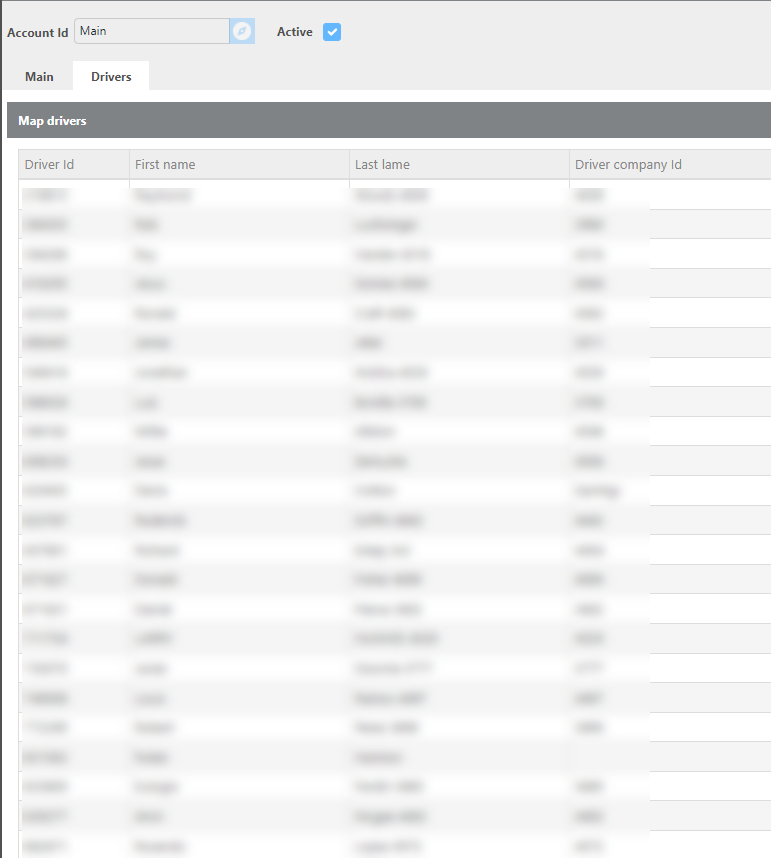
|
Field |
Description |
|
Driver Id |
The driver ID received from Motive. |
|
First Name |
The driver's first name received from Motive. |
|
Last Name |
The driver's last name received from Motive. |
|
Driver Company Id |
The Driver Company ID received from Motive. |
GPS Tracking
For GPS tracking, Ditat matches the Motive Asset ID to the Unit ID on the Maintain Device screen.
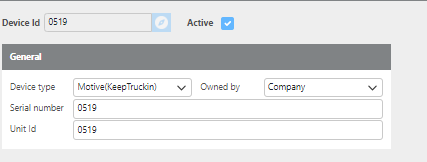
To begin tracking a truck using Motive, add the corresponding device to the truck's profile in the Tracking Device field.
Sync Driver HOS
To integrate HOS data with Motive, the Ditat Driver ID must match the Motive Driver Company ID.
Click here for more information about HOS.