Navigation: Maintenance → Maintenance Board
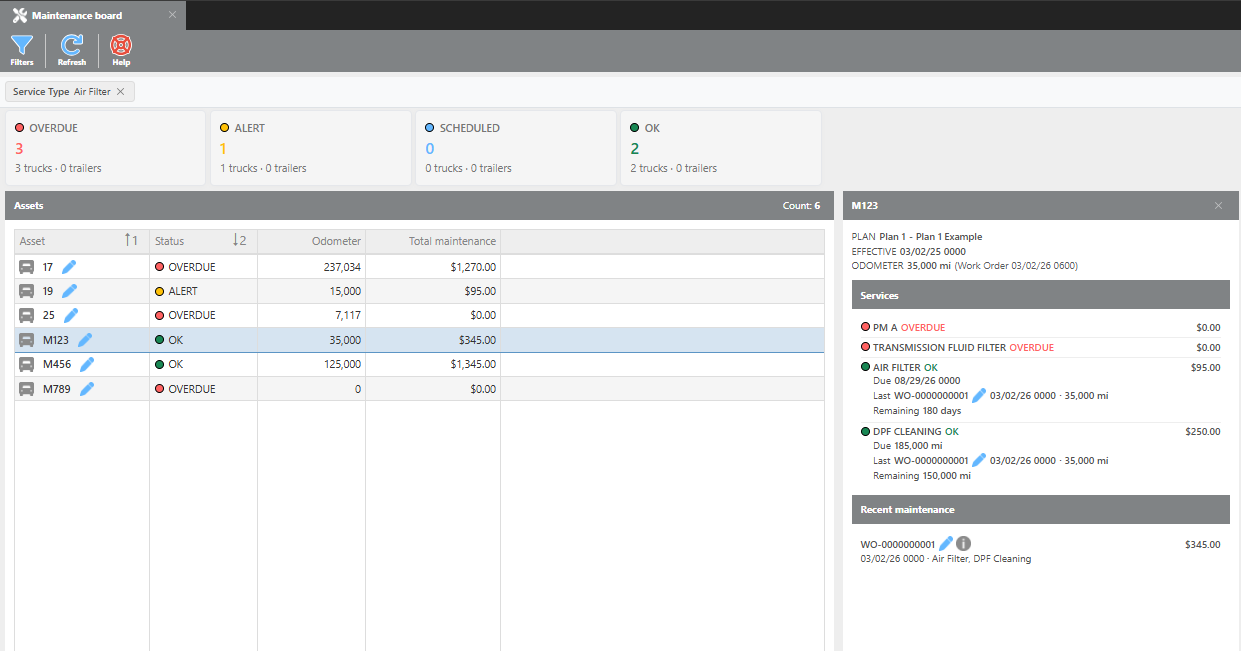
The Maintenance Board provides an at-a-glance view of all asset maintenance statuses, alerting your team to items that are Overdue, Alerting, Scheduled, or OK.
Filters
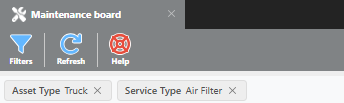
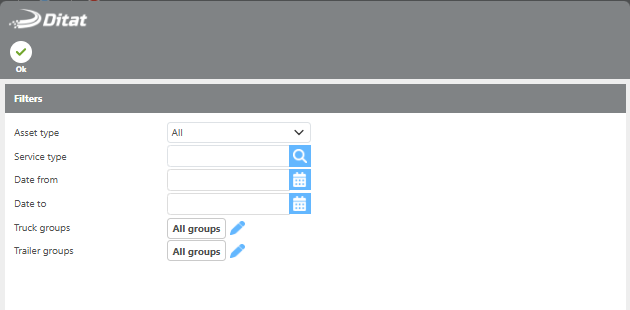
Use the filters to organize the board by asset type, service type, or date range. Active filters will be displayed at the top of the screen. Click Refresh to update the board and Help to open the help guide.
|
Field |
Description |
|---|---|
|
Asset type |
Select Truck, Trailer, or All to display both. |
|
Service type |
Select a service type to filter by. Leave blank to display all service types. |
|
Date from |
Filters out services with a due date before this date. |
|
Date to |
Filters out services with a due date after this date. |
|
Truck groups |
Select a custom truck group to filter by. Leave blank to display all trucks. |
|
Trailer groups |
Select a custom trailer group to filter by. Leave blank to display all trailers. |
Status Widget
The widget at the top of the board displays a count of service items by status, giving a quick summary of where your fleet stands before reviewing the details below.

Assets
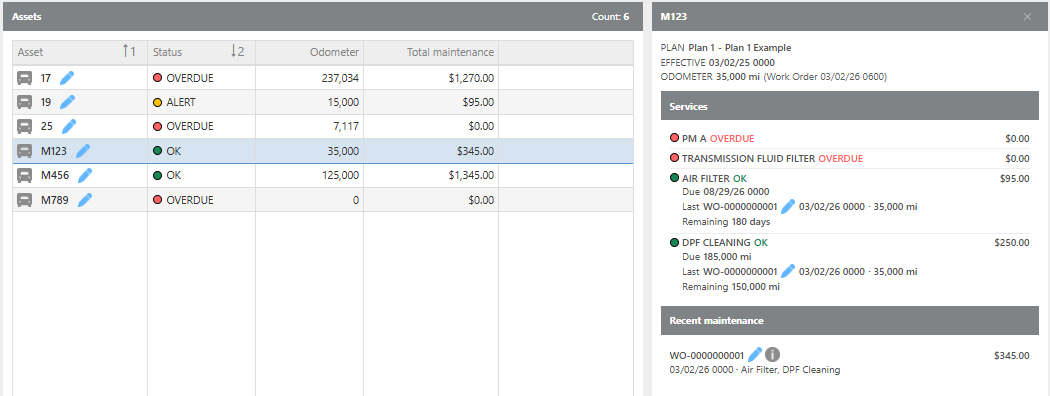
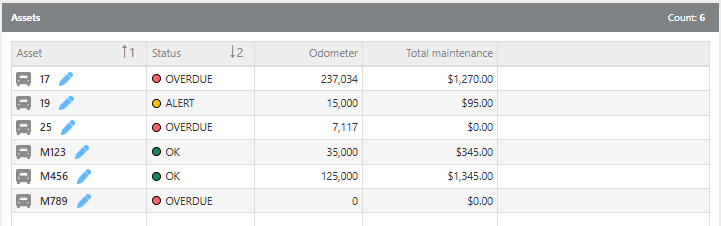
The Assets section displays each truck or trailer with its current maintenance status, latest odometer reading, and total maintenance amount recorded in Ditat. Selecting an asset will open a detail panel on the right showing that asset's work order history.
|
Field |
Description |
|---|---|
|
Asset |
Displays the truck or trailer ID. |
|
Status |
Displays the current maintenance status. |
|
Odometer |
Displays the latest odometer reading on record. |
|
Total maintenance |
Displays the total maintenance amount recorded in Ditat for this asset. |
Select an asset to display work order history.