
To access: Mobile → Set Up Options → Integrate with MacroPoint → Configure
Click here for information on how to use a data entry window.
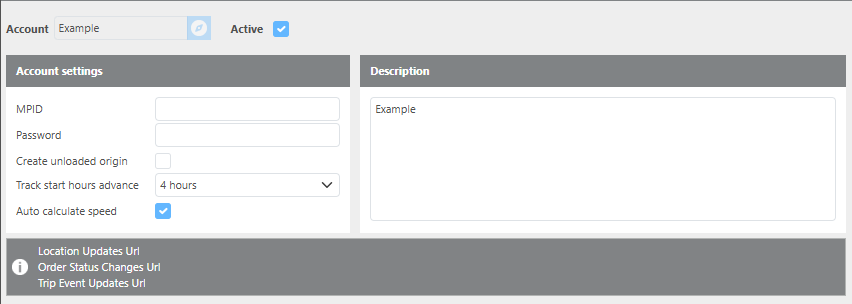
This page is used to configure the MacroPoint integration. The goal of this integration is to track brokered loads that are assigned to carriers.
Important: URLs generated during setup must be provided to MacroPoint for the integration to function.
|
Field |
Description |
|
MPID |
The username for your MacroPoint account. |
|
Password |
The password for your MacroPoint account. |
|
Create Unloaded Origin |
When checked, an unloaded origin and an initial check call will automatically be added to a load when the first tracking update is received from MacroPoint. |
|
Track start hours advance |
Set the amount of hours tracking should begin before the scheduled appointment. Set to '0' to start tracking at appointment time. |
|
Auto calculate speed |
Use this feature to track if the load is moving or stopped on tracking screens. |
|
Description |
A brief description for this MacroPoint account. |
Note: If you need to update an API Venue ID, you can use the Account ID number as the Venue ID number.
For Macropoint support, please contact servicedesk@descartes.com