
Many windows in the Ditat TMS use a Grid format. Grids display data in a customizable layout, allowing users to apply filters and choose which columns are shown to tailor the view to their needs.
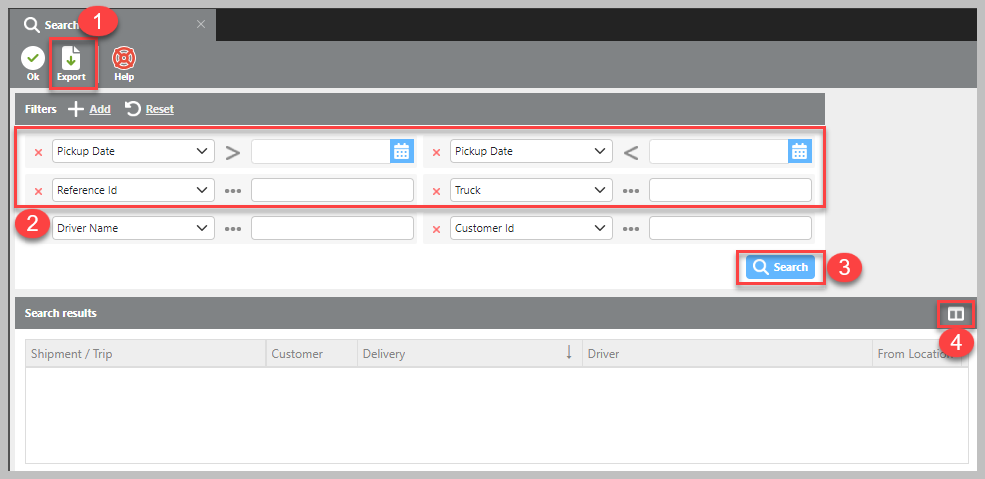
Standard grid windows are typically made up of four main sections.
-
Many grid windows include an Export button on the toolbar, allowing users to export data to a CSV file. This file can be opened in Excel or Notepad to quickly review or analyze the data shown in the grid.
-
Most grids also include search options that let users filter and control which records are displayed.
-
Once you’ve configured the view, you can click the Search or Refresh button at the top of the page to apply your selections and save your preferred layout for future use.
-
On the right side of most grids, you’ll find the Column Chooser button. Clicking this opens a list of available columns so you can select which ones to display or hide according to your needs.