
Navigation: Assets → Trailers
Click here for information on how to use a data entry window.
Trailer ID and Status

|
Field |
Description |
|
Trailer Id |
Can be up to 25 characters and must be unique within the system. If you enter an ID that already exists, that trailer record will be loaded for editing. Otherwise, a new trailer record will be created. |
|
Active |
Check this box to allow Ditat Mobile Dispatch users to use this trailer. |
|
Deactivated on |
If the trailer is no longer active, enter the deactivation date manually or using the calendar tool. This field only appears when the trailer is marked as inactive. |
|
Reason |
If the trailer is inactive, select the reason for deactivation from the menu. |
General
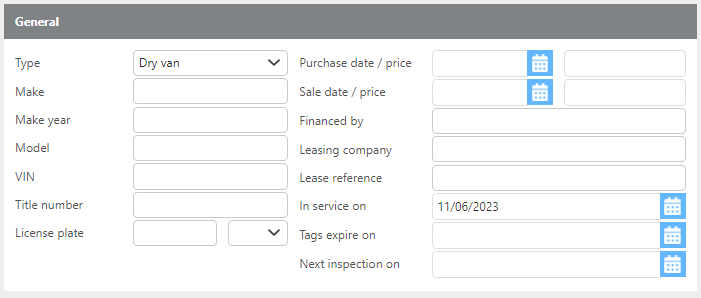
Enter the general information for this trailer using the fields in this section.
Trailer Options
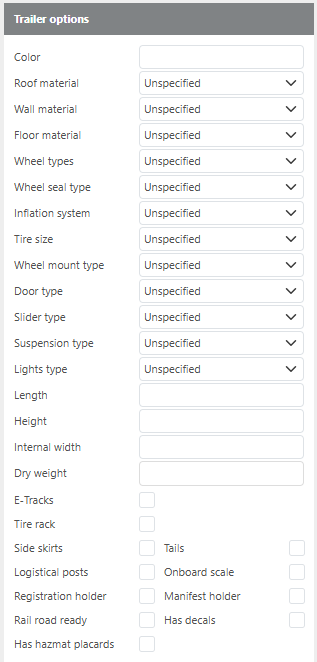
Check all characteristics that apply to this trailer and use the drop-down menus to select the specific type for each. Enter the trailer's dimensions in the fields provided.
Ownership

|
Field |
Description |
|
Owned by |
Select whether the trailer is Company Owned, Leased, or Rental. |
|
Lessor |
Enter or select the lessor associated with this trailer. |
|
Covered by reporting insurance company |
Check this box if this trailer is covered under the reporting insurance company. |
Tracking
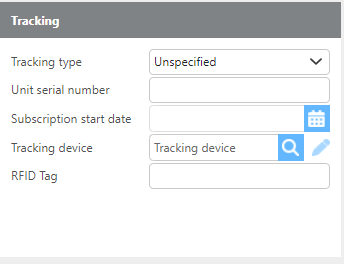
|
Field |
Description |
|
Tracking type |
Select the tracking type from the available options: RCom, SkyBitz, Unspecified, Other, or None. |
|
Unit serial number |
Enter the serial number for the tracking unit. |
|
Subscription start date |
Enter the tracking subscription start date manually or using the calendar tool. |
|
Tracking device |
Select the Ditat tracking device used to track this trailer. |
|
RFID Tag |
Enter the RFID tag for this trailer. |
Reefer unit
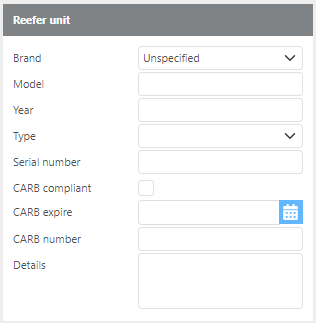
|
Field |
Description |
|
Brand |
Select the reefer unit brand. |
|
Model |
Enter the reefer unit model. |
|
Year |
Enter the year the reefer unit was manufactured. |
|
Type |
Select the reefer type: Single Temp, Multi-Temp, Unspecified, or Other. |
|
Serial number |
Enter the serial number for this reefer unit. |
|
CARB compliant |
Check this box if the reefer unit is compliant with California Air Resources Board (CARB) standards. |
|
CARB expire |
Enter the CARB compliance expiration date manually or using the calendar tool. |
|
CARB number |
Enter the CARB number for this unit. |
|
Details |
Enter any additional details about the reefer unit. |
Custom Groups

|
Field |
Description |
|
Groups |
Assign this trailer to any applicable custom groups. Custom groups can be used for reporting and for filtering on the Planning and Dispatch boards. |