
Carrier
Note: All integrations must be enabled by Ditat before use. For details and pricing, contact sales@ditat.com.
|
Field |
Description |
|---|---|
|
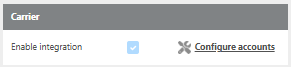
Enable integration |
Must be enabled by Ditat. Contact sales@ditat.com for details. |
Account set up
|
Field |
Description |
|---|---|
|
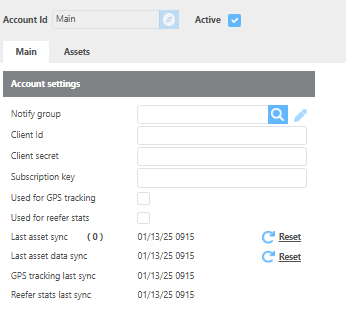
Client Id |
Enter the client unique ID. |
|
Client secret |
Enter the client unique secret. |
|
Subscription key |
Enter the client subscription key. |
|
Used for GPS tracking |
Check this box to use this integration for GPS tracking. |
|
Used for reefer stats |
Check this box to use this integration for reefer statistics. |
|
Last asset sync |
Displays the date of the last asset sync. Click Refresh to update. |
|
Last asset data sync |
Displays the date of the last asset data sync. Click Refresh to update. |
|
GPS tracking last sync |
Displays the date of the last GPS tracking sync. |
|
Reefer stats last sync |
Displays the date of the last reefer stats sync. |
Device set up
Important: The Unit ID field must match the asset name in Carrier exactly in order for Ditat to link data correctly.
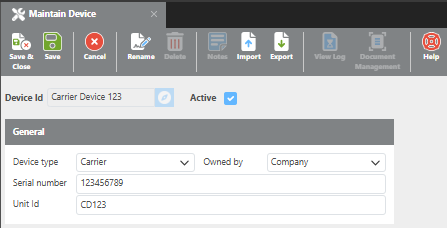
The unit id field must match exactly to the asset name in Carrier in order for Ditat to link data.
|
Field |
Description |
|---|---|
|
Device Id |
Enter the device ID. |
|
Active |
Check this box if the device is active. |
|
Device type |
Set the device type to Carrier. |
|
Owned by |
Select whether the device is company owned or driver owned. |
|
Serial Number |
Enter the device serial number. |
|
Unit Id |
Enter the asset name exactly as it appears in the Carrier portal. This is how Ditat links the device to Carrier data. |