
Note: All integrations must be enabled by Ditat before use. For details and pricing, contact sales@ditat.com.
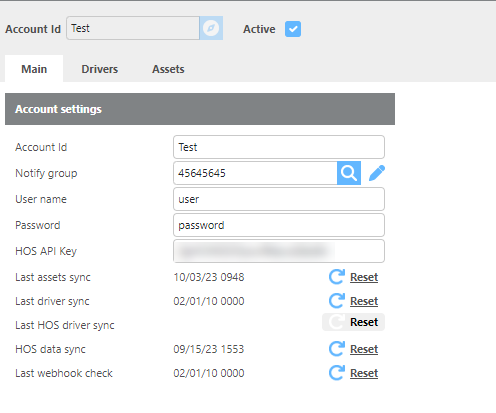
GPS Insight - Main
|
Field |
Description |
|
Account Id |
Enter the account ID for your GPS Insight account. |
|
Notify Group |
Select the group that will be notified if an error occurs. |
|
Username |
Enter the username used for tracking and HOS data. |
|
Password |
Enter the password used for tracking and HOS data. |
|
Last asset sync |
Click Reset to initiate an asset sync. |
|
Last driver sync |
Click Reset to initiate a driver sync. |
|
HOS data sync |
Click Reset to initiate an HOS sync. |
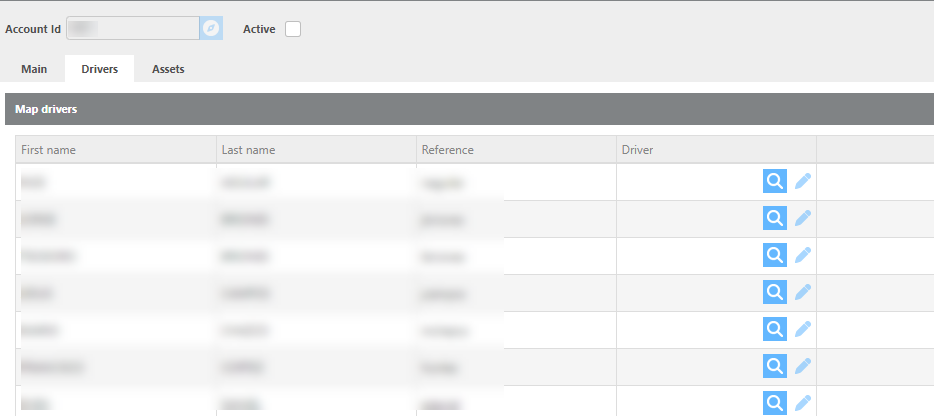
GPS Insight - Drivers
|
Field |
Description |
|
First name |
The driver's first name received from GPS Insight. |
|
Last name |
The driver's last name received from GPS Insight. |
|
Reference |
The driver ID received from GPS Insight. |
|
Driver |
Select the Ditat driver to link to this GPS Insight record for HOS. If criteria-based matching applies, this may be auto-selected. |
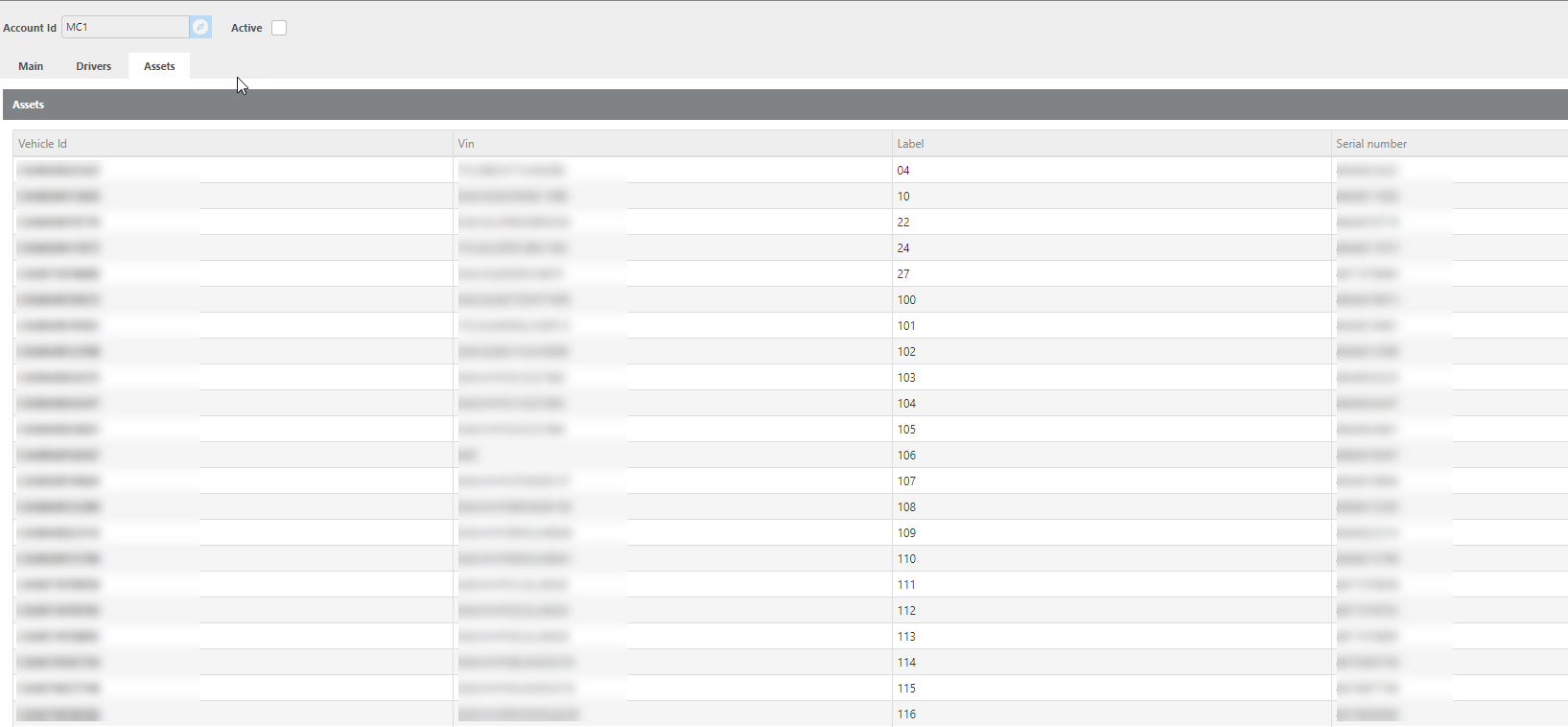
GPS Insight - Assets
|
Field |
Description |
|
Vehicle Id |
The vehicle ID pulled from GPS Insight. This number must be added to the mobile device in Ditat to enable asset tracking. |
|
Vin |
The VIN number from GPS Insight for this device. |
|
Label |
The asset ID from GPS Insight. |
|
Serial number |
The serial number from GPS Insight for this device. |
Sync Driver HOS
To track Hours of Service, add the HOS API key in the main settings, then link the drivers from GPS Insight to their corresponding Ditat driver records on the Drivers screen above.
Click here or more information about HOS.