
This report lists trailers that will be at a selected location during a specified date range. Results include trailers that are dropped at the location as well as trailers on trips scheduled to pick up or deliver at that location during the selected date range.
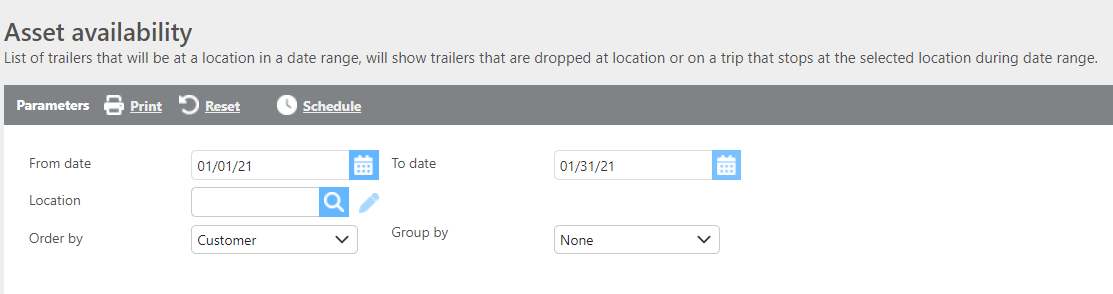
Report Parameters
|
Field |
Description |
|
From/To date |
Enter the date range to run the report for. |
|
Location |
Select the location to check asset availability for. A location must be selected to run this report. |
|
Ordered by |
Select how the data should be ordered on the report. |
|
Group by |
Select if and how the data should be grouped on the report. |

Report Columns
|
Field |
Description |
|
Trailer |
The trailer ID. |
|
Truck |
The truck ID associated with the trailer. |
|
Reefer temp |
The reefer temperature setting. |
|
Reefer mode |
The reefer operating mode. |
|
Trailer current status |
The current status of the trailer. |
|
Trip |
The trip number associated with the trailer. |
|
Trip status |
The current status of the trip. |
|
Departure date/time |
The scheduled departure time from the location. |
|
Driver names |
The names of drivers who moved the trailer. |
|
Customer |
The customer ID associated with the trip. |
|
Pickup |
The pickup location ID, city, state, and appointment time. |
|
Delivery |
The delivery location ID, city, state, and appointment time. |