
This report displays trucks that were active during a selected date range and the drivers using each truck.
Note: The activity range displays the first start date and last end date for the truck. If slip seating is used, a driver's activity will show their first start and last end date, but the Days Active column will reflect only the actual days that driver was on a trip.
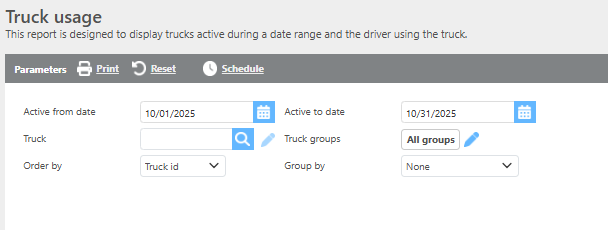
Report Parameters
|
Field |
Description |
|---|---|
|
Active from date |
Enter a date range to filter results by truck activity. |
|
Truck |
Select a specific truck to filter results, or leave blank to include all trucks. |
|
Truck groups |
Select a truck group to limit results to trucks within that group. |
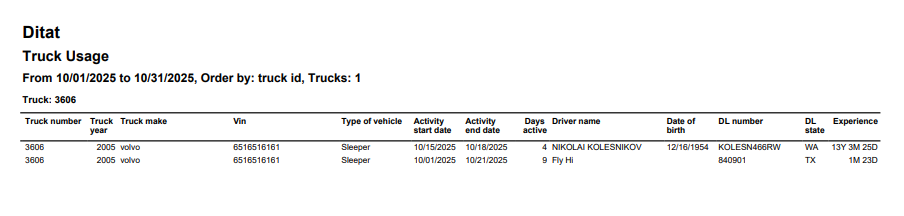
Report Columns
|
Field |
Description |
|---|---|
|
Truck number |
The truck ID. |
|
Truck year |
The truck's year. |
|
Truck make |
The truck's make. |
|
Vin |
The truck's VIN number. |
|
Type of vehicle |
The truck type. |
|
Activity start date |
The first date the truck was active during the selected range. |
|
Activity end date |
The last date the truck was active during the selected range. |
|
Days active |
The total number of days the truck was active. |
|
Driver name |
The name of the driver active on the truck during the range. |
|
Date of birth |
The linked driver's date of birth. |
|
DL number |
The linked driver's driver's license number. |
|
DL state |
The state that issued the linked driver's driver's license. |
|
Experience |
The linked driver's experience level. |