
This report can be run for trucks or trailers to identify mileage discrepancies between an asset's current trip and its previous trip.
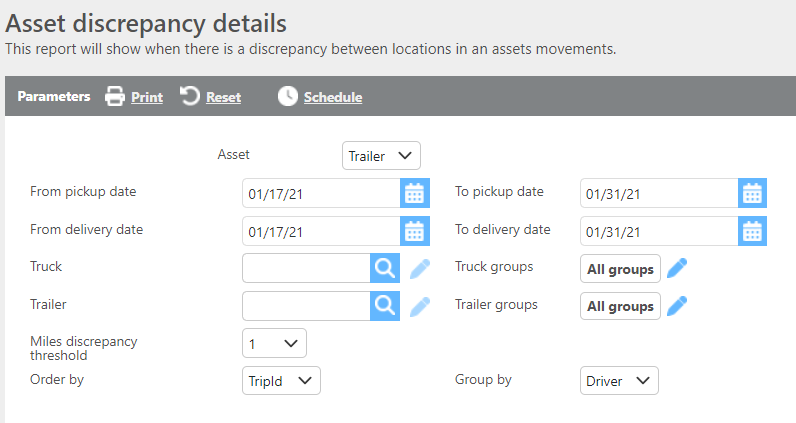
Report Parameters
|
Field |
Description |
|
From/To pick up date |
Enter a pickup date range to filter results. |
|
From/To delivery date |
Enter a delivery date range to filter results. |
|
Truck |
Select a specific truck to run the report for that truck only. |
|
Trailer |
Select a specific trailer to run the report for that trailer only. |
|
Groups |
Select a custom group to limit results to assets within that group. |
|
Miles discrepancy threshold |
Enter a mileage threshold. Only assets with a discrepancy over this threshold will be displayed. |
|
Order by |
Select how the data should be ordered on the report. |
|
Group by |
Select if and how the data should be grouped on the report. |

Report Parameters
|
Field |
Description |
|
Asset |
The truck or trailer ID. |
|
Driver |
The driver ID assigned to the trip. |
|
Trip |
The trip number. |
|
Created by |
The user who created the trip. |
|
Location |
The current location ID, city, state, and time of the first check call. |
|
Previous trip |
The previous trip number for this asset. |
|
Previous location |
The previous location ID, city, state, and time of the last stop's check call in. |
|
Discrepancy miles |
The mileage discrepancy between the end of the previous trip and the pickup on the current trip. |