
Navigation: Rate & Pay → Real-Time Advances
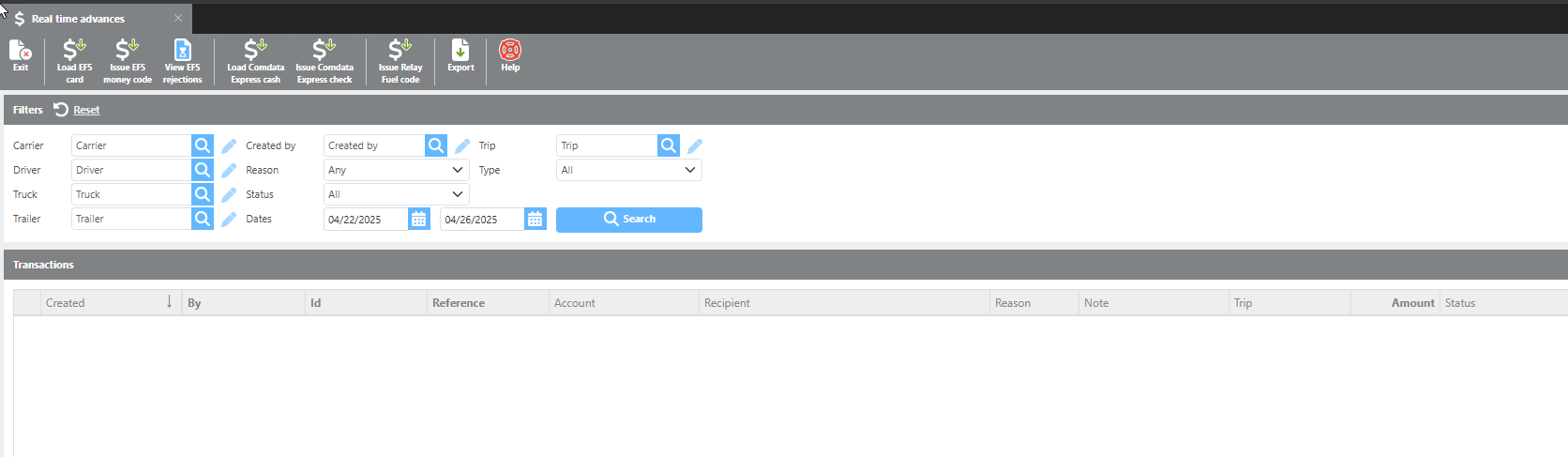
This feature allows advances to be issued on demand and is available through second-tier integration within the TMS. The screen displays active integrations for EFS, Comdata, and Relay — only the providers active on your account will be available.
From this screen you can:
-
Load an EFS card
-
Issue an EFS money code
-
View EFS rejections
-
Load Comdata Express Cash
-
Issue Comdata Express Cash
|
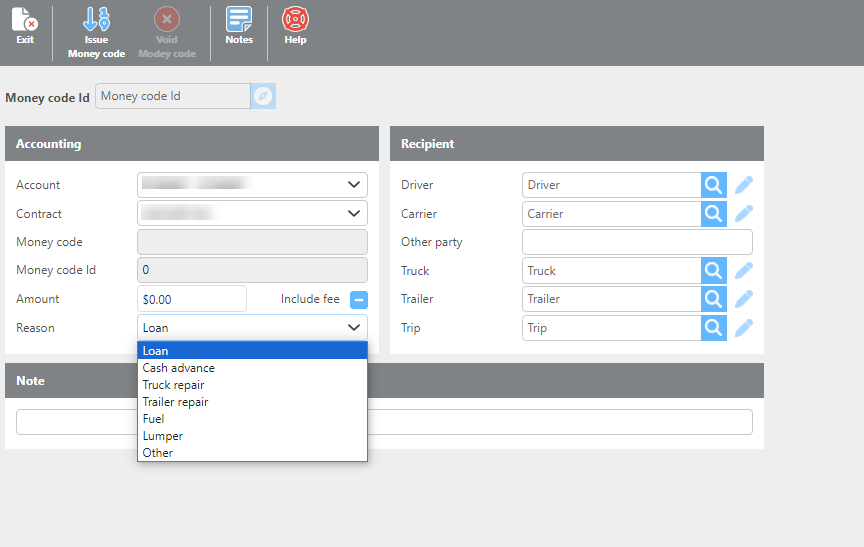
Field |
Description |
|
Account |
Select the account associated with the money codes. |
|
Contract |
Select the company associated with the money codes. |
|
Money code |
Displays the generated money code. |
|
Money code Id |
Displays the money code ID. |
|
Amount |
Enter the amount needed for this transaction. |
|
Reason |
Select the purpose of the money code. Each option will highlight the corresponding fields in the Recipient section that are required. |
|
Recipient Section |
Enter the information needed to pair with the money code. Fields can be entered manually or using the lookup tool. |
|
Notes Section |
Enter any additional details relevant to issuing this money code. |
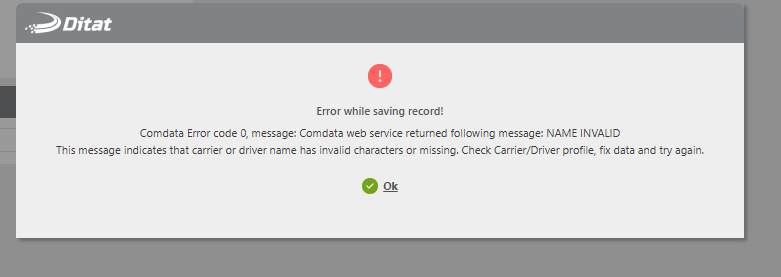
Comdata Real Time Advances - Comdata has a 3-digit limit on names, any names like Le will fail to send if not updated to Lee. Will see an error like this when the name is not long enough..
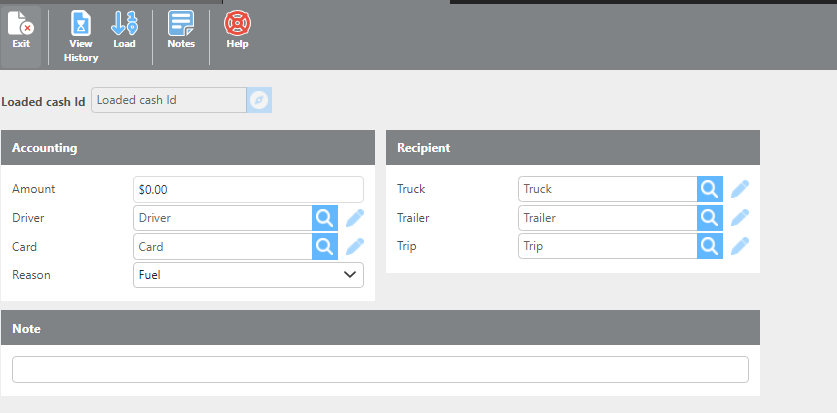
Loading an EFS Card
Enter the required information on the card loading screen. Required fields will be highlighted in red.
Important: Voided money codes will not be imported with your daily batches. A note will be added to the batch if any voided codes were skipped. These will need to be handled manually.