
Navigation: Rate & Pay → Provider Price List
Click here for information on how to use a data entry window.
Use this screen to import and store your daily fuel prices by provider. This table is used for Fuel Optimization calculations. If no price list is available, retail prices will be used as the default.
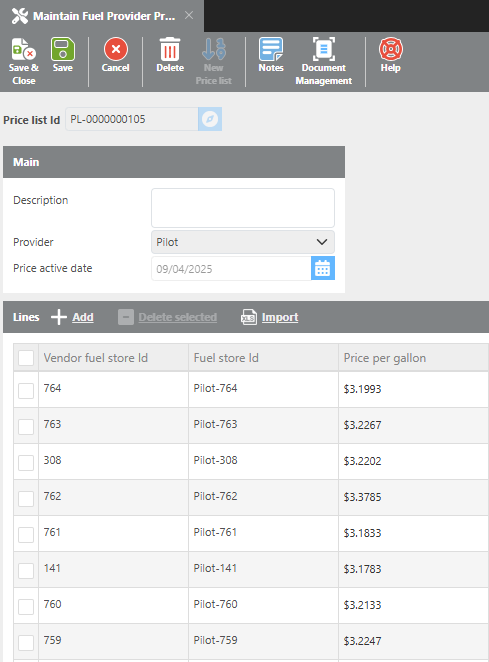
Main
|
Field |
Description |
|
Price List Id |
Automatically generated by the system for this price list. |
|
Description |
Enter a description for this price list. |
|
Provider |
Select the fuel provider for this price list. |
|
Price active date |
Enter the date these fuel prices apply to. Prices are only used on the selected date and should be updated daily. |
|
Add |
Click to add individual price lines to the table. |
|
Delete selected |
Check the boxes next to lines you want to remove, then click Delete Selected to remove them. |
|
Import |
Click to import fuel prices from a CSV file. |
|
Vendor fuel store Id |
The fuel store ID provided by your fuel provider. |
|
Fuel store Id |
The fuel store ID that Ditat uses for that location. When importing a CSV file, Ditat will auto-fill this field |
|
Price per gallon |
Your negotiated price per gallon for this fuel location. |
Importing Fuel Prices
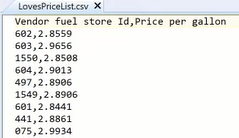
Fuel prices can be imported from a CSV file. The file must contain the following column headers:
-
Vendor fuel store Id -
Price per gallon
Click here to download an import template.