
This report displays the deduction amounts due up to a selected date. It is intended to show all outstanding deductions for a specific driver or carrier.
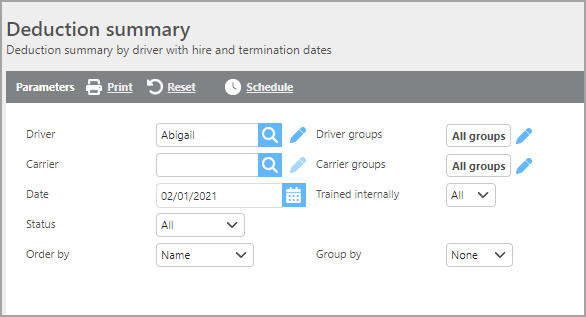
|
Field |
Description |
|
Driver |
If a driver is selected, only deductions for that driver will display. |
|
Carrier |
If a carrier is selected, only deductions for that carrier will display. |
|
Groups |
If a custom group is selected, only deductions for drivers in that group will display. |
|
Date |
Deductions up to and including the date entered will display on the report. |
|
Trained internally |
Select whether to include drivers who were trained internally, not trained internally, or all. |
|
Status |
Select which driver status should be included in the report. |
|
Order by |
Select how you would like the deductions ordered on the report. |
|
Group by |
Select if and how you would like the report grouped. |

Report Columns
|
Field |
Description |
|
Driver |
The driver's ID. |
|
Name |
The driver's name. |
|
Carrier |
The associated carrier. |
|
Hire date |
The driver's hire date. |
|
Termination date |
The driver's termination date. |
|
Status |
The driver's current status. |
|
Total owed |
The total amount owed in deductions. |