
This report displays a summary of invoices per customer, including the last invoice total for the selected date range.
|
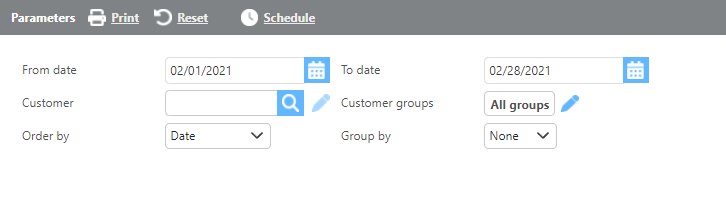
Field |
Description |
|
From/To date |
Enter a date range to filter invoices. This references the date set on the invoice batch, not the posted date. |
|
Customer |
If a customer is selected, only data for that customer will display. |
|
Customer groups |
If a customer group is selected, only data for that group will display. |
|
Group by |
Select how the data should be grouped on the report. |
|
Order by |
Select how the data should be ordered on the report. |
Report Columns
|
Field |
Description |
|
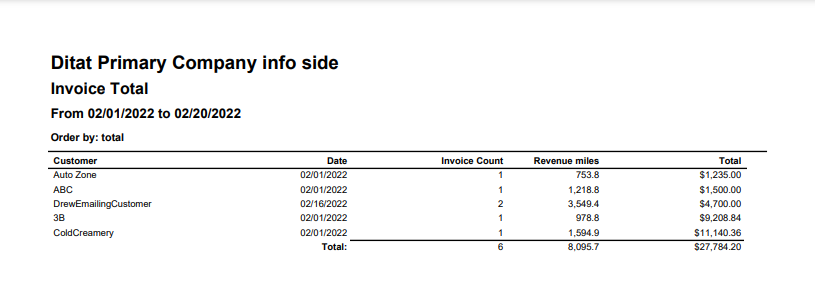
Customer |
The customer ID. |
|
Date |
The date of the last invoiced batch for this customer. |
|
Invoice count |
The number of invoices for the customer within the date range, with a total invoice count displayed at the bottom. |
|
Revenue miles |
The total shipment miles for the displayed loads. |
|
Total |
The total invoiced amount for each customer, with an overall total displayed at the bottom. |