
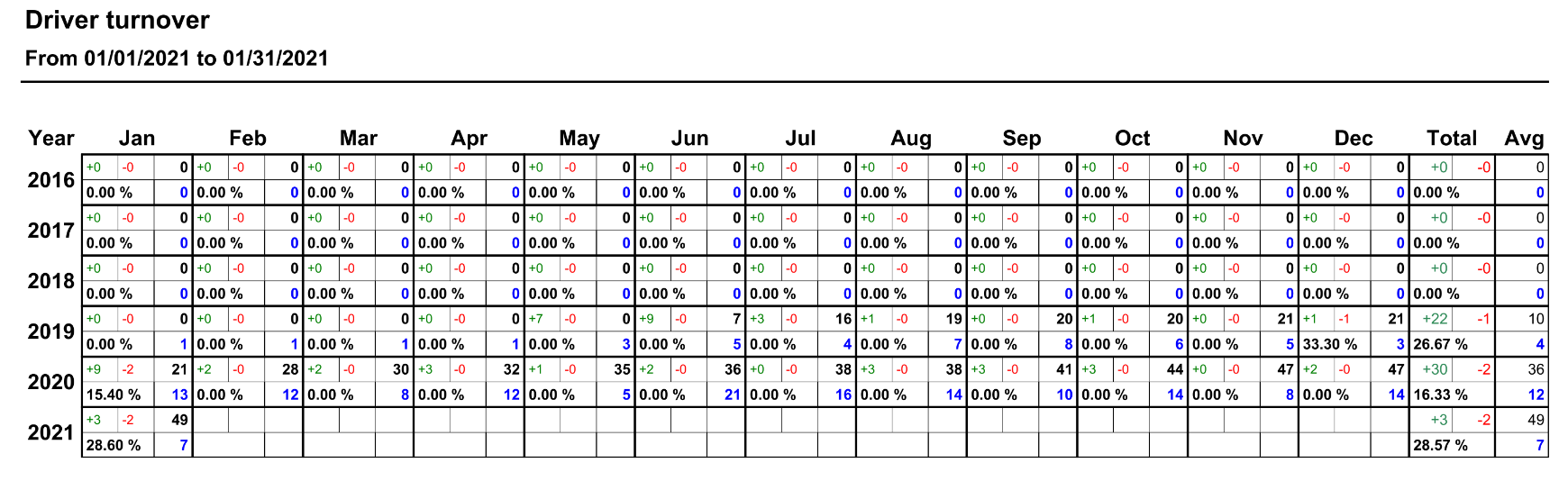
This report will show a yearly and monthly breakdown for drivers that were hired or terminated. This report will show how many drivers were hired or terminated each month as well as the average number of drivers that had loads that month. The bottom of the report shows a list of drivers that were hired or terminated with the details on when they were hired or terminated.
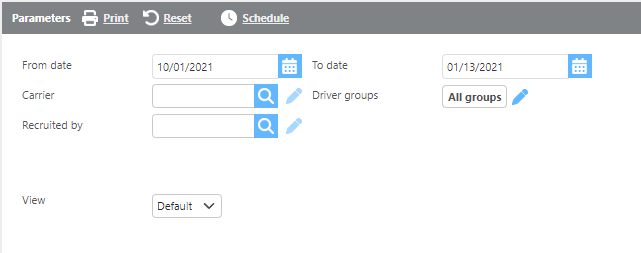
Report Parameters
|
Field |
Description |
|
From/To date |
Enter a date range to run the report. |
|
Carrier |
Select if this report should be run for a specific carrier. |
|
Driver groups |
Select a specific driver group here. |
|
Recruited by |
Select a user and the report will provide data only for drivers recruited by that user. |
|
View |
Select which view you would like to use |
Default View:
Top
Green: New drivers Red: Terminated drivers Black: Active drivers added MINUS terminated Percent: Turnover Percent (terminated DIVIDED by active) Blue: Individual drivers that did loads
Bottom
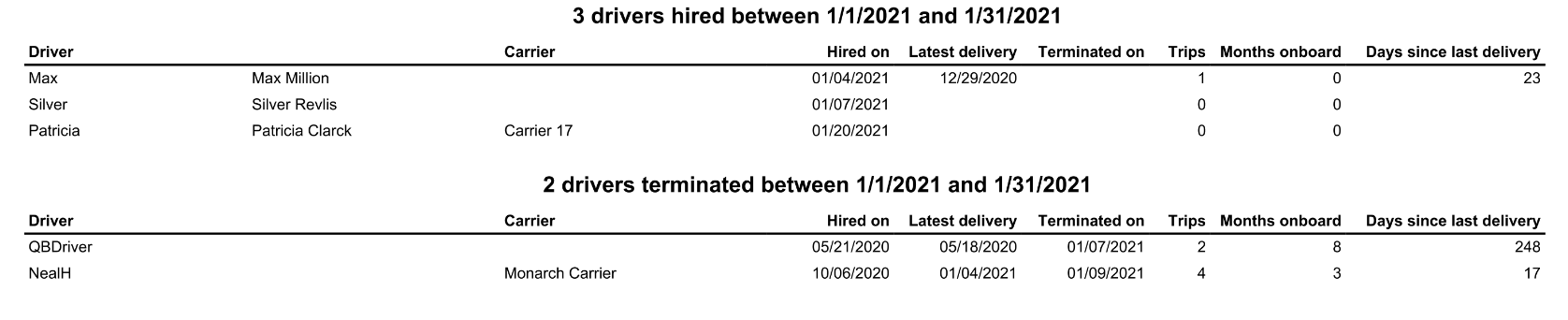
Info
The bottom of the report will be broken down by hired drivers (top) and terminated drivers (bottom)
|
Field |
Description |
|
Driver |
The driver id and name. |
|
Carrier |
The carrier id. |
|
Hired on |
The hired date for the driver. |
|
Latest delivery |
The latest delivery for the driver. |
|
Terminated on |
The termination date for the driver. |
|
Trips |
The number of trips the driver has been on for the date range. |
|
Months onboard |
The number of months the driver has been onboard. |
|
Days since last delivery |
The number of days since the last delivery for the truck |
Details View:
The Details view will provide different information about driver termination.

|
Field |
Description |
|
Driver |
The driver id and name. |
|
Carrier |
The carrier id. |
|
Hired on |
The hire date for the driver. |
|
Latest delivery |
The latest delivery for the driver. |
|
Terminated on |
The termination date for the driver. |
|
Trips |
The number of trips the driver has been on for the date range. |
|
Months onboard |
The number of months the driver has been onboard. |
|
Days since last delivery |
The number of days since the last delivery for the truck. |
|
Previous months experience |
The driver/carrier’s previous months experience. |
|
Termination reason |
The termination reason. |
|
Termination notes |
The termination notes from the recruiting tab of the driver/carrier profile. |
Summary View:
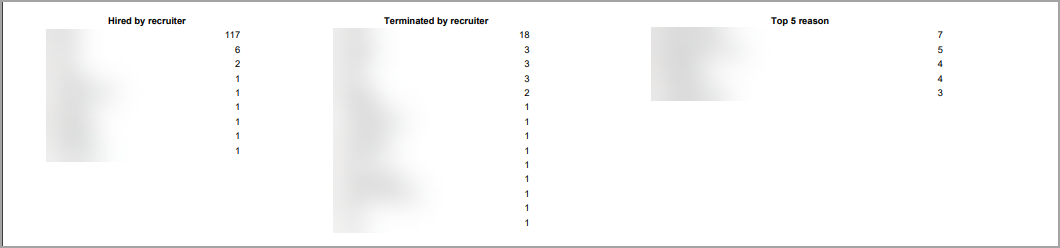
The Summary view will display the recruiter user and their number of hires/terminations for a period as well as the top 5 termination reasons listed.
|
Field |
Description |
|
Hired by recruiter |
This field will display the Id of the user with the total number of hires during the period. |
|
Terminated by recruiter |
This field will display Id of the user with the total number of terminations during the period. |
|
Top 5 reasons |
This field will display the top 5 reasons for termination with a total for each reason. |