
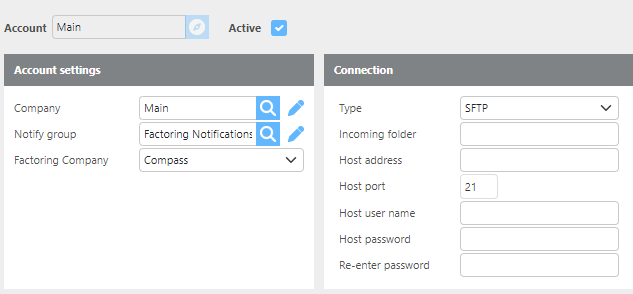
Ditat's Compass integration automatically sends invoices to Compass Factoring via SFTP when an invoice batch is posted.
|
Field |
Description |
|
Company |
Select which Ditat company this integration is for. |
|
Notify group |
Select the group that should receive notifications related to this integration. |
|
Factoring company |
Select Compass as the factoring company. |
|
Type |
Select SFTP for Compass configuration. |
|
Incoming folder |
Enter the incoming folder path for this account. |
|
Host address |
Enter the host address provided by Compass. |
|
Host port |
Use port |
|
Host username |
Enter the account-specific username. |
|
Host password |
Enter the account-specific password. |
|
Re-enter password |
Re-enter the account-specific password to confirm. |
Compass Factoring CSV File
Below is an example of the CSV file format sent to Compass Factoring per invoice batch.

Note: The PDF and CSV files are zipped into a single file that is date-stamped with the batch number.