
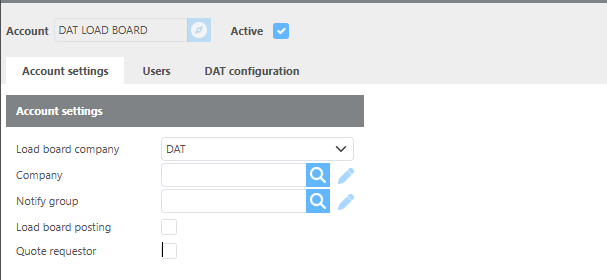
Account Settings
|
Field |
Description |
|---|---|
|
Load board company |
Select the load board company for this integration. |
|
Company |
Select which of your Ditat companies this integration will work with. |
|
Notify group |
Select the group that should receive notifications related to this integration. |
|
Load board posting |
Check this box to enable load board posting. |
|
Quote requestor |
Check this box to enable the Quote Requestor feature. |
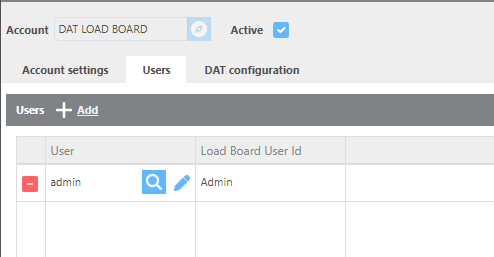
Users
|
Field |
Description |
|---|---|
|
User |
Select the Ditat user for this entry. |
|
Load board user Id |
Enter the load board ID to associate with the selected user. |
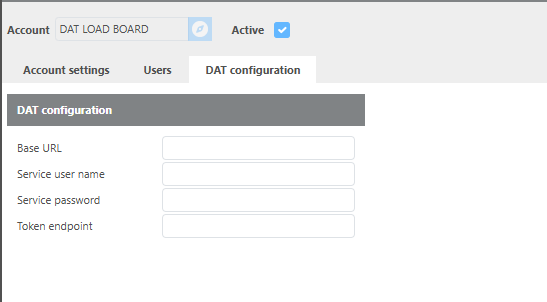
DAT configuration
|
Field |
Description |
|---|---|
|
Base URL |
Enter the base URL for this DAT setup. |
|
Service user name |
Enter the DAT service username. |
|
Service password |
Enter the DAT service password. |
|
Token endpoint |
Enter the token endpoint for this setup. |